


ADBMMUAD Beautiful Ear USB Audio Converter
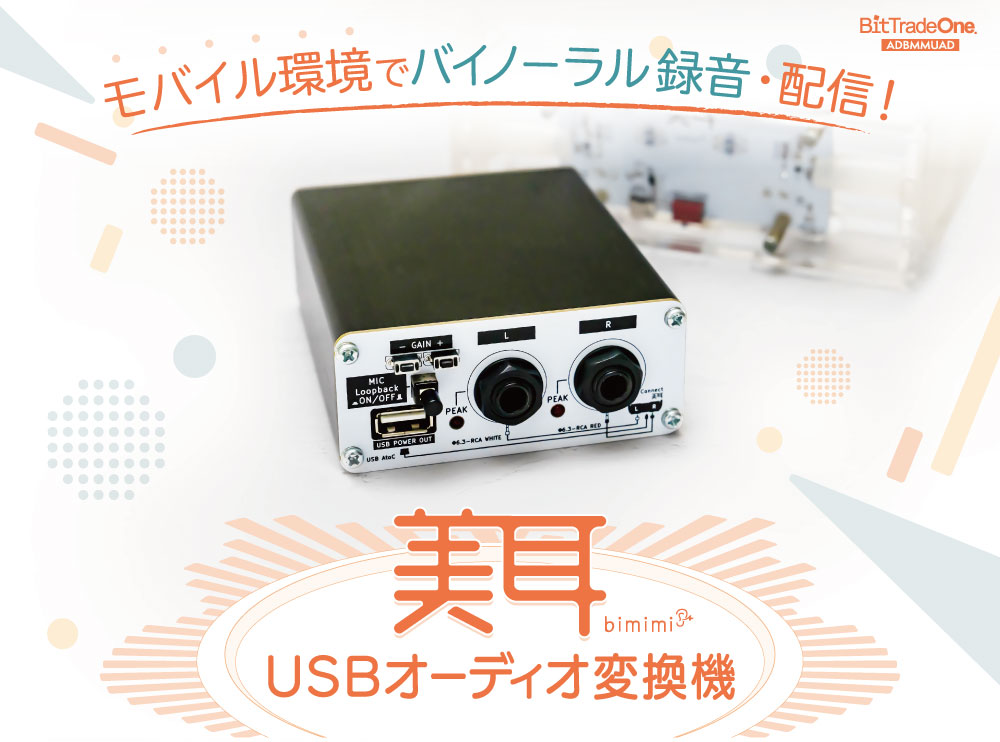
Thanks to your support, our crowdfunded binaural microphone "BiMimi" has been well received and is now being used by a wide range of users.
In this context, we have developed an audio interface primarily designed for use in conjunction with BiHear, which is a solution to the many inquiries we have received about use in mobile environments and compatibility with various audio interfaces.
The "BiMin USB Audio Converter" is specially designed for BiMin. Simply combine it with BiMin to instantly record and stream binaural audio using your smartphone or PC.
This product makes binaural recording quick and easy, taking into account modern devices and distribution conditions.
An introduction video by Yui Asami, a voice actress who is very popular in the ASMR world, is also available.
You can actually check what kind of sound can be recorded in an environment using the BiMear & BiMear USB Audio Converter.
Product Introduction
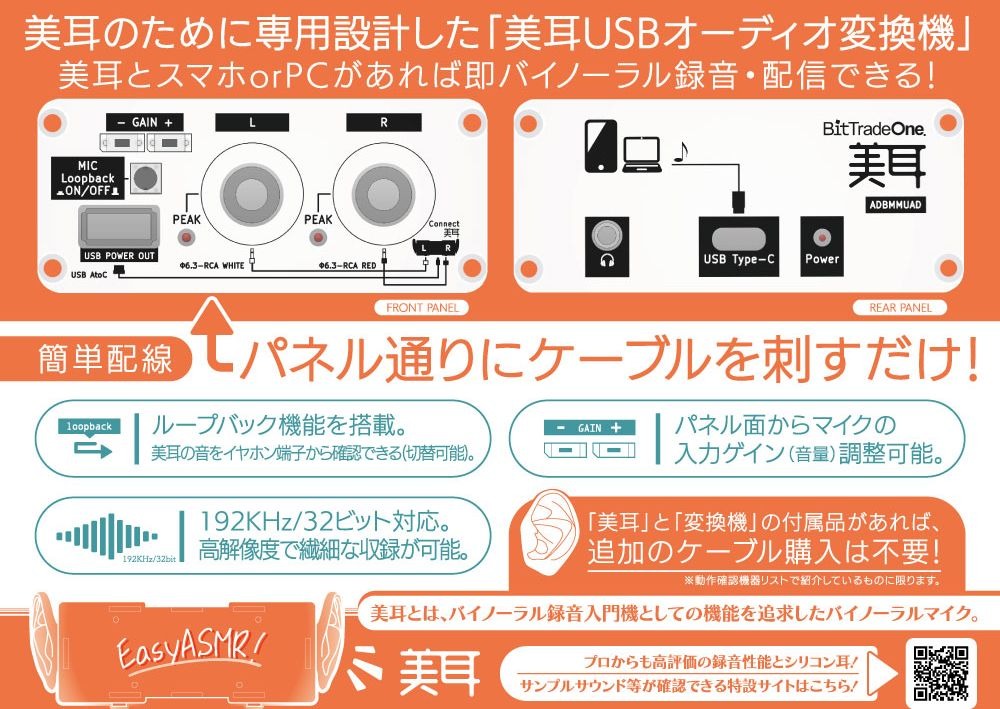
Convert your beautiful ears to USB Audio
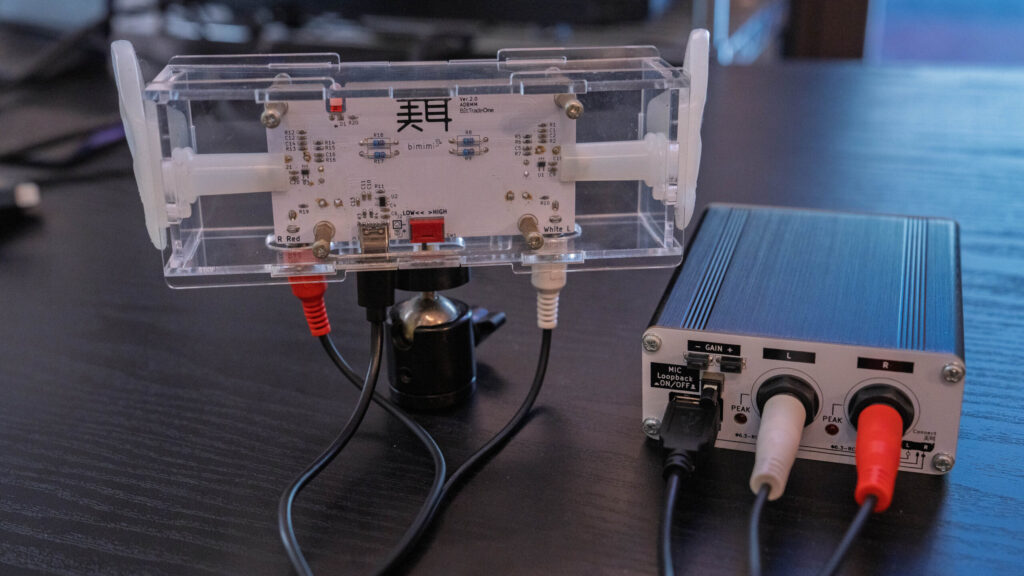
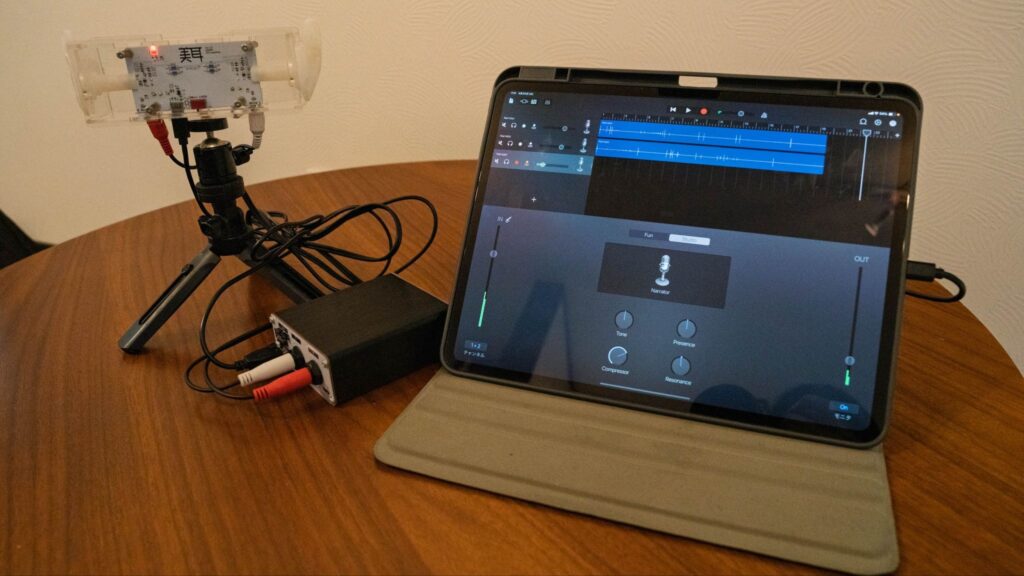
Converts the 6.3mm plug output of the binaural microphone "BiMimi" into a USB audio signal.
Connect directly to iPhones, Android devices*, and PCs with Type-C connectors! Record and stream binaural audio without complicated wiring !
No need to purchase additional cables
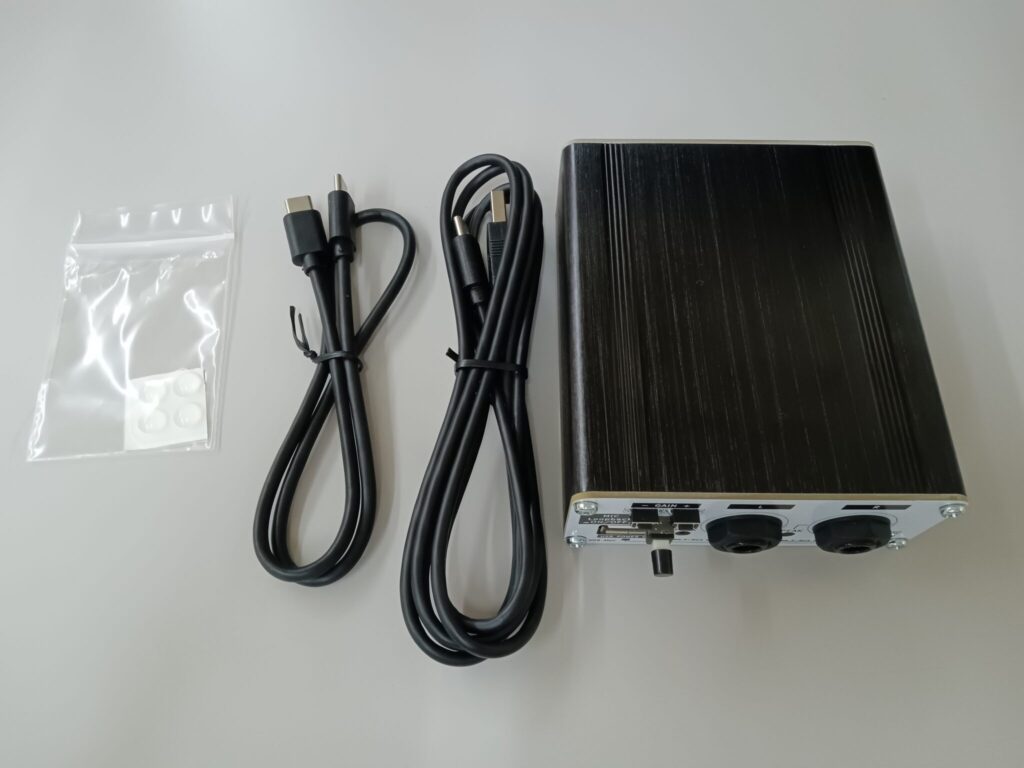
With the "BiMimi" and "BiMimi USB Audio Converter" and their accessories, you'll have all the cables you need for recording. You can quickly set up your recording setup without having to buy any additional cables.
Uses C-Media's USB Audio codec IC "CM6646"
Compatible with USB Audio Class 2.0, it supports high-resolution audio formats (up to 192KHz/32-bit), allowing you to clearly record even the subtle sounds necessary for ASMR.
It is equipped with a function that converts stereo input to USB audio, which is rare in compact devices.
Connection instructions are written on the panel and a support site is available.
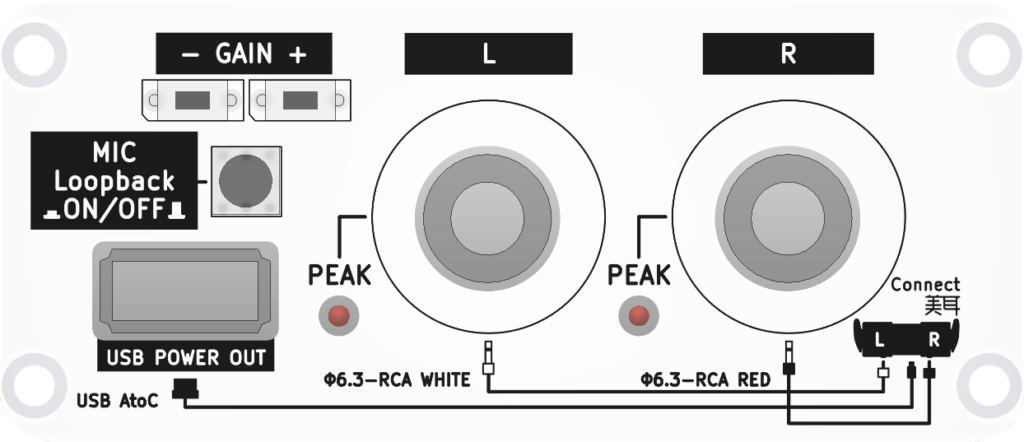
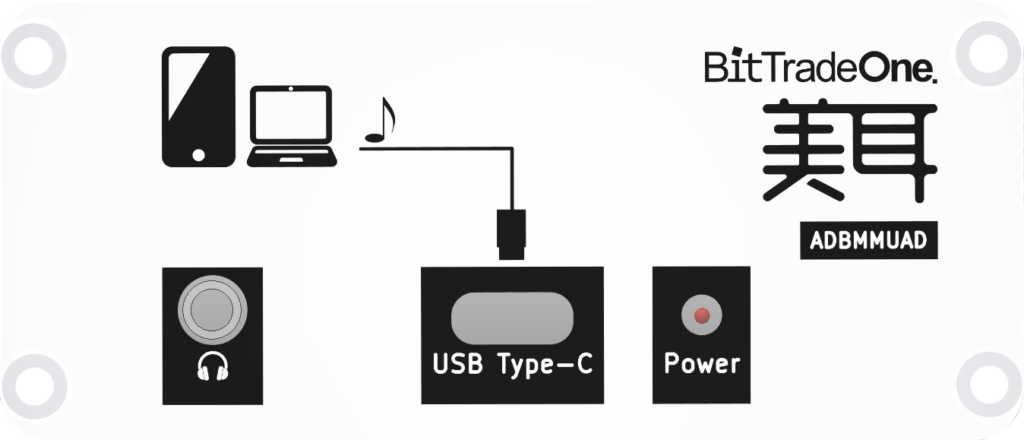
The connection method for BiMin is written on the main panel, so you can connect it without any confusion.
In addition, illustrations of how to connect are available on the support site !
There's no need to read thick instructions.
Microphone gain can be adjusted using the panel buttons
You can adjust the microphone volume with one touch, even while recording. This allows you to quickly adjust the level without relying on the volume settings of your streaming software or OS.
Hardware microphone loopback
You can monitor recorded audio directly with your own earphones without passing it through a device, achieving latency-free monitoring. Listening and checking the volume while streaming is stress-free. The on/off switch lets you use it according to the environment and purpose. It also has a built-in USB DAC, so you can listen to the sound of the connected device through the 3.5mm jack on this product with earphones, etc. *Please control the output volume of the device itself.
Compact body
Its size makes it easy to carry anywhere, making it perfect not only for streaming from home, but also for spontaneous live streaming and recording environmental sounds while on the go or traveling.
Regarding compatible models for this product
This product has a special purpose: recording external stereo inputs on an Android device , and we cannot guarantee that it will work on all devices.
The list of compatible models that we have tested is as follows:
(As of June 1st, updated as needed)
https://bit-trade-one.github.io/ADBMM/500_Converter_Compatible_models.html
We have confirmed that on some Android devices, stereo recordings may be converted to mono.
This is due to limitations and incompatibilities on the smartphone itself, its OS, and the app, and we have concluded that it is difficult for us to improve or avoid this issue on the product side.
In particular, support for the USB Audio Class (UAC) on the Android OS is limited, and the Android Open Source Project (AOSP) has not officially stated that it supports UAC. As a result, whether the USB audio function will work as expected on your device depends on the Android OS specifications and the device manufacturer's implementation, and we cannot guarantee complete operation in all environments.
Unfortunately, we do not accept returns or refunds due to compatibility issues with models not listed.
Please be aware of this before making your decision.
specification
| Input terminal | 6.3mm mono jack x 2 (L/R) |
| Output terminal | USB Type-C, USB Type-A (Power OUT for earphones), 3-pole 3.5mm stereo mini jack |
| Audio Codec IC | C-Media CM6646 |
| Supported formats | 44.1kHz to 192kHz / 16-32bit / Stereo |
| ADC S/N ratio | (A-weighted, 0dB gain, 192kHz/24bit): 94.8dB (datasheet value) |
| ADC Dynamic Range | (A-weighted, 0dB gain, 192kHz/24bit): 94.6dB (datasheet value) |
| accessories | USB Type-C to C cable (50cm), USB Type-A to C cable (1.5m) |
| size | Approximately 52mm x 44mm x 19mm |
| weight | Approximately 200g |
FAQ
Q1. My iPhone has a Lightning connector, can I connect it? Also, what about iPhone 15 and later?
A. iPhones with Lightning connectors are not supported. iPhone 15 series and later models are equipped with a USB Type-C connector, so connection is simpler by simply connecting this product directly with a Type-C cable. However, we cannot guarantee full compatibility with all iOS devices and OS versions.
Q2.Can it be used on all Android devices?
A. The device must be compatible with USB Audio Class 2.0. For supported devices, see "Compatible Models for This Product."
Q3. If I use it on a smartphone, do I need a dedicated app?
A. You can use a standard camera or recording app, but the app must support stereo audio.
Q4. How do I supply power?
A. It is bus-powered from a smartphone or PC via USB Type-C. No separate power supply is required.